
Reservation software vs spreadsheet: what you lose every day
If you still run your bookings on Excel or a paper notebook, you’re paying an invisible cost. Here’s the real cost — with numbers — and how to tell if switching pays off.
Excel is the most widely used reservation system in the world. Between Excel, Google Sheets, and paper notebooks with Tippex, probably more than 60% of independent restaurant reservations in Spain and LATAM are managed this way. It works. Until it doesn’t.
This article isn’t about demonising the spreadsheet — it’s about putting real numbers on its cost, and helping you decide whether it’s time to change.
What a spreadsheet does well
Let’s be fair: the spreadsheet has virtues.
- It’s free. Or nearly. Google Sheets outright; Excel if you already own Office.
- It’s familiar. Everyone on the team knows how to use one. No training.
- It’s flexible. You shape it however you want, no permissions required.
- It works offline. Paper even more so.
If your restaurant seats 20–30, runs one service, and handles fewer than 10 reservations a day, a spreadsheet may cover you. The question is how long.
What you don’t see that you’re paying
The real cost of a spreadsheet isn’t the price — it’s the lost time, the bookings you never make, and the accumulated errors. Five categories nobody counts:
1. Staff time on manual intake
Every phone reservation requires picking up, noting details, checking availability, confirming, writing in the book, hanging up. 3–5 minutes per booking, with focus. In call peaks, more: when the phone rings while a host is seating a guest, time gets lost on both sides.
With 15 phone reservations a day, that’s 60–75 minutes daily, or 30–37 hours a month of staff time managing bookings manually. At hospitality wages, that’s €300–450/month of direct labour cost in something a software system handles without human intervention.
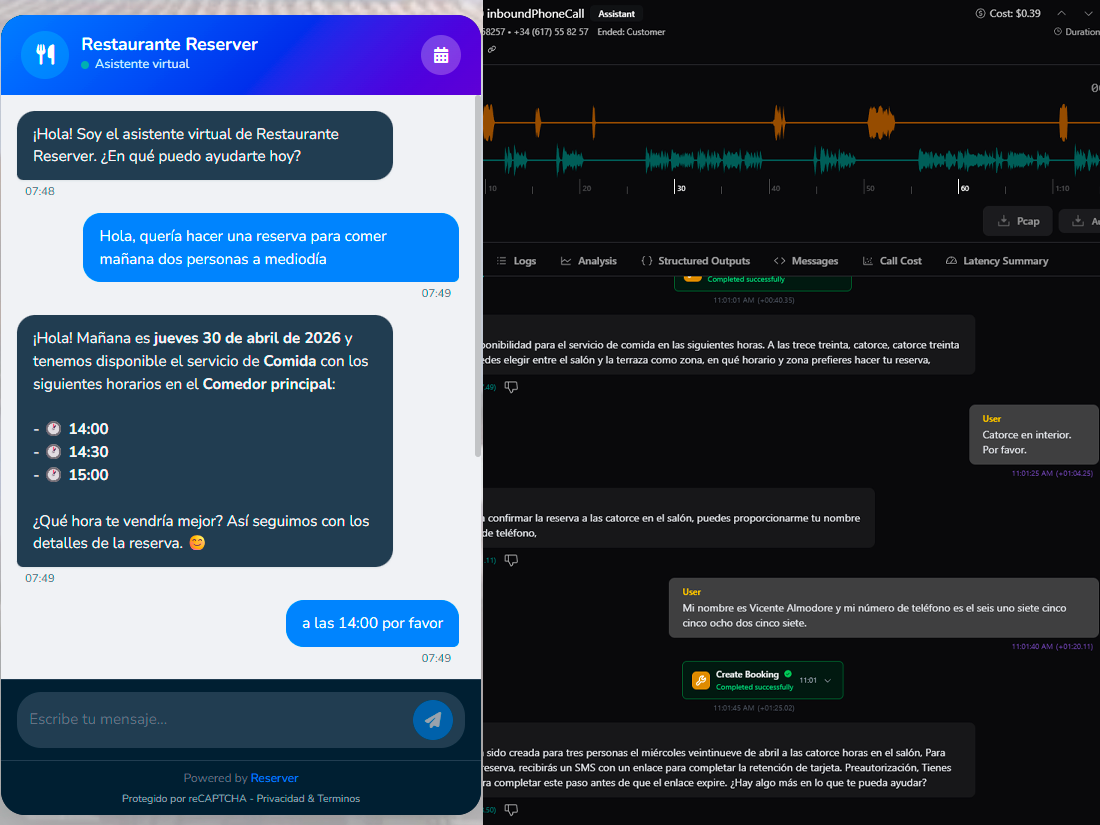
If the calls cluster in specific windows (noon, just before evening service), Reserver can handle them for you: the AI assistant takes reservations, changes and questions over chat, and the voice AI picks up the phone when no one can, working off the same calendar and tables your team sees.
2. Bookings lost outside opening hours
If you only take reservations by phone, you lose people who want to book at 11 pm on a Tuesday or 8 am on a Sunday. Those guests don’t wait: they call somewhere else or book on a commission platform.
Industry data is reasonably consistent: 25–35% of online bookings happen outside opening hours. If you average 20 bookings a day, that’s 5–7 daily bookings you’re letting slip — or funneling to TheFork.
3. Double-booking errors
When two operators write into different rows and don’t reconcile, or when someone misreads a line, a double-booking appears. The guest arrives, the table is taken, apologies ensue, an awkward fix gets attempted. Sometimes the guest is lost.
A double-booking has no nominal cost but it does have a reputation cost. Two visible errors per year from this can drop your average Google and TripAdvisor ratings enough to show in organic demand. Not theory: reviews slide rankings.
4. Guest database that evaporates
Phone-bookers leave a name and a number. That’s it. There’s no way to know if it’s their third visit, whether allergies are on file, whether it’s a birthday, whether they cancelled three times in a row last year. Every visit starts from zero.
The value lost here is the loyalty that doesn’t happen: win-back campaigns for dormant guests, anniversary reminders, post-visit communication. A well-run CRM raises repeat rate by 15–30% depending on segment. With no CRM — and a spreadsheet isn’t a CRM — that lever doesn’t exist.
5. Inability to analyse
“How was September?” “Better than August.” “By what percentage?” “Don’t know, but there were more people.” That conversation, multiplied over 12 months, is a year without learning.
With a spreadsheet, your reports are what you have time to count by hand. No heatmap of occupancy by hour, no no-show rate by weekday, no lead-time distribution. You decide on instinct, not data.
What the spreadsheet really costs
Let’s put approximate numbers on a mid-sized restaurant (40 seats, 20 bookings/day, 1 service):
| Line item | Estimated monthly cost |
|---|---|
| Staff time on manual reservations | €400 |
| Bookings lost outside hours (5/day × 30 days × €15 lost ticket or commission) | €600 |
| Uncaught no-shows (15% rate × €60 avg table) | €540 |
| Unrealised guest loyalty (no CRM, estimated incremental value) | €300 |
| Missing analytics (suboptimal decisions; hard to pin down) | €100 |
| Estimated total | ~€1,940/month |
A SaaS tool like Reserver costs between €49 and €99/month on its main plans. Even conservatively — assuming we only recover 40% of the invisible cost — ROI is north of 700%.
When the spreadsheet does make sense
Switching isn’t always justified. The spreadsheet is defensible when:
- Volume is low. Fewer than 10 bookings a day, one service, no strong seasonality.
- The team is minimal. One person handles everything; no concurrent operators.
- Online presence is marginal. If your guests call because they’re neighbours or regulars, phone-only works.
- The model is walk-in. If 80% of your floor arrives without a booking, reservations are anecdotal.
Outside those cases, the invisible cost outweighs the visible one. Usually by a lot.
How to switch without chaos
If you decide to switch, four keys to make the transition painless:
1. Keep your spreadsheet as reference
Before cancelling the spreadsheet, save a clean CSV of your guest base: name, email, phone, first visit date. Reserver doesn’t offer bulk import — your own base builds from direct bookings after signup — so keeping the sheet around lets you look up regulars during the first few months. If you don’t have emails, now is the time to start asking for them.
2. Run in parallel for 2–3 weeks
Don’t flip overnight. For two or three weeks, run bookings in the new system but keep the spreadsheet as fallback. The team learns, you spot gaps, edge cases get covered.
3. Start with one service
If you run brunch, lunch, and dinner, start with just one — the easiest or the lowest volume. Once you’ve got that service dialled in the new system, add the next. The learning curve spreads out.
4. Set up the useful automations on day one
Email reminders 24 h before and SMS 2 h before. Automatic regular-guest tagging. Waiting list. These three start returning value immediately — none require maintenance once set up.
Frequently asked
What if my older guests only book by phone?
The phone still rings. Software like Reserver coexists with phone bookings: the operator types them into the dashboard in 15 seconds. The system wins; the guest doesn’t lose.
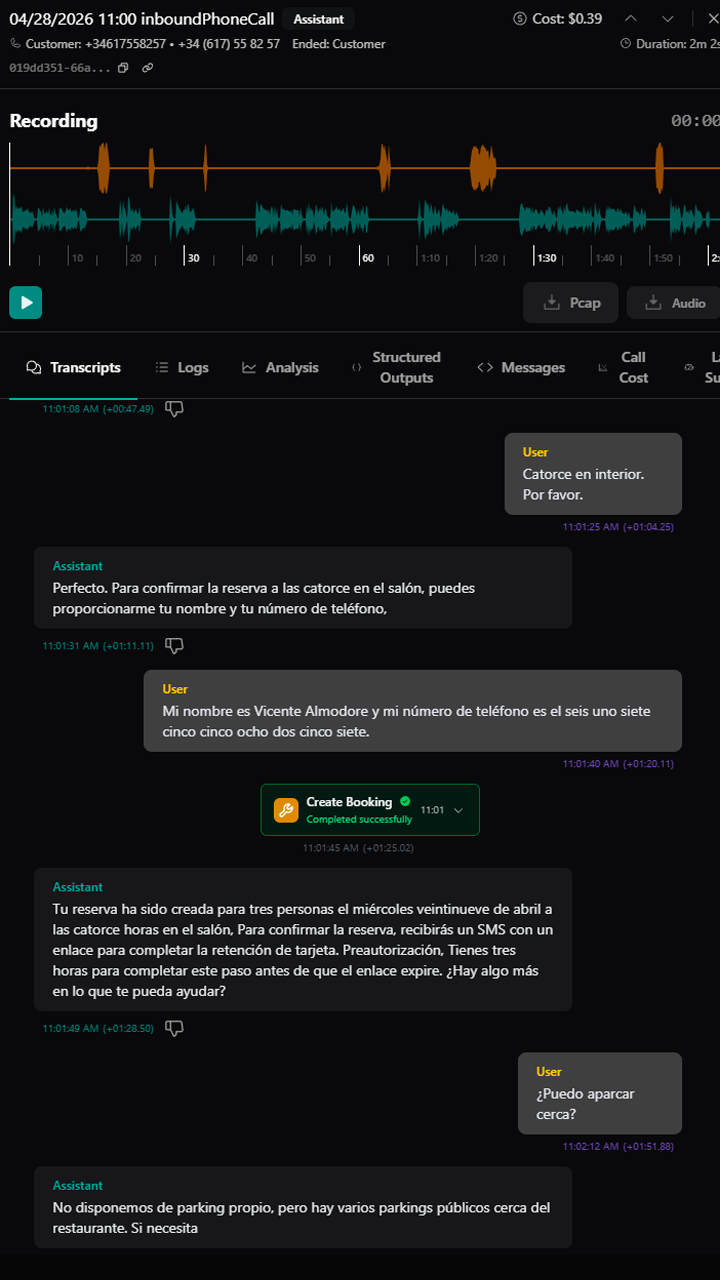
And when no one’s available to pick up, the voice AI understands the caller, replies in their own language, and leaves the reservation confirmed on the calendar just like a human operator would. The older guest doesn’t notice the difference: they call, someone answers, they get confirmed.
How long does the switch take?
2 to 5 business days for basic setup. Most restaurants are operational within a week.
What about the reservations already in Excel?
Open ones get added by hand as guests arrive. Reserver doesn’t load history from a CSV: anything worth keeping (regulars, fiche notes) can live in the spreadsheet as reference while your new base fills up with real bookings.
Won’t the budget balloon?
Not if you compare it to the real cost you already pay for the spreadsheet. The honest exercise is to add up the five invisible-cost categories and put them next to €49–99/month of a SaaS. In almost every case, the answer is positive.
What if I change my mind and want to go back?
You export your base to CSV and go back. Decent reservation software doesn’t lock you in. Reserver specifically lets you export everything from the dashboard in one click.
If you want to see what the switch would look like in your specific case, request a demo. We’ll prepare a walkthrough with data similar to yours in 15 minutes.