
A Sunday brunch isn’t a Tuesday dinner. Your software should know.
Define services with their own hours, distinct capacities, and per-slot saturation thresholds. Close brunch at Christmas in two clicks — without losing dinner.
- Independent services with their own hours and capacity
- Per-slot saturation thresholds
- Weekly calendar for recurring setup
- Yearly calendar for events and holidays
Each shift with its own rules.
Brunch, lunch, afternoon coffee, dinner, afterwork. Each service has its start and end, its max capacity, and its active days. If brunch only runs on weekends, Reserver doesn’t offer it on a Tuesday.
- Start and end time per service.
- Max capacity per service (independent from zone capacity).
- Active weekdays (Mon–Sun, with exceptions).
- Average reservation duration, adjustable per occasion type.
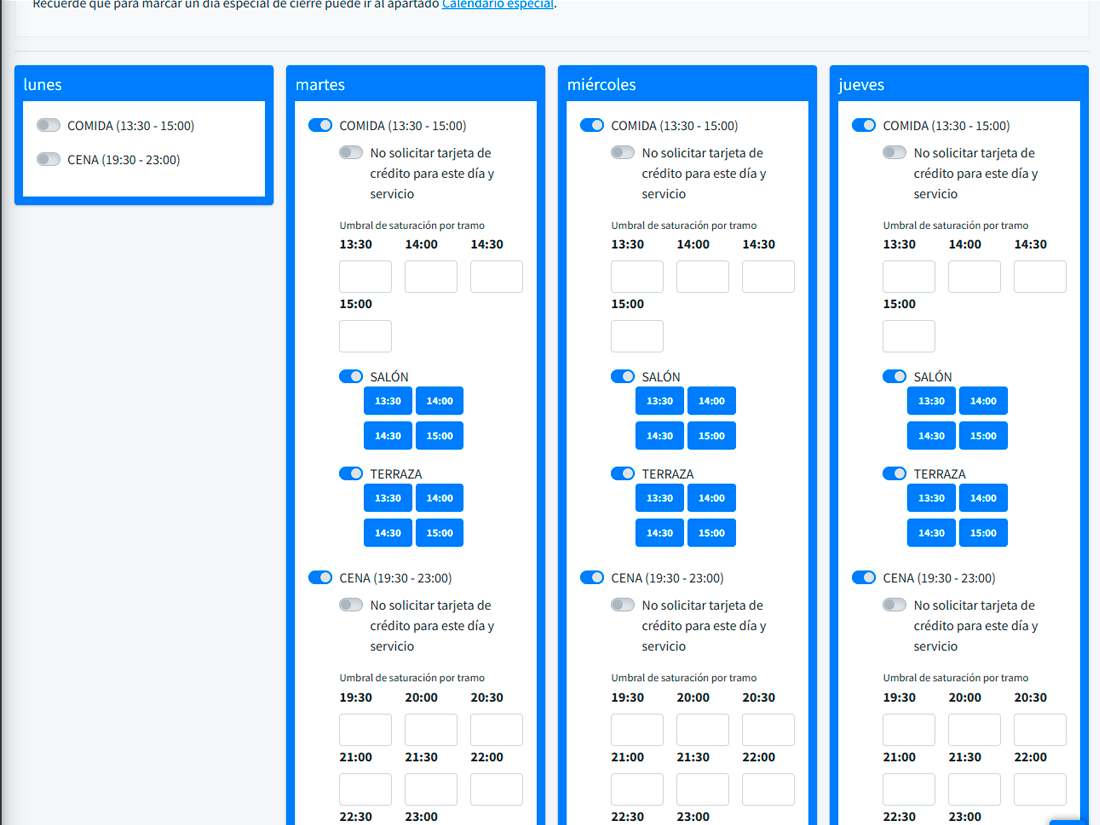
Spread guests across time slots, don’t cluster them.
The per-slot saturation cap prevents everyone from booking at 9 pm. Set a max of 60 covers between 20:30 and 21:30 and, when it hits 80%, the widget hides those slots and offers 20:00 or 22:00 instead. Kitchen breathes. Guests too.
- Configurable cap per time slot within a service.
- Widget adjusts the offered slots in real time.
- Alerts when a slot approaches saturation.
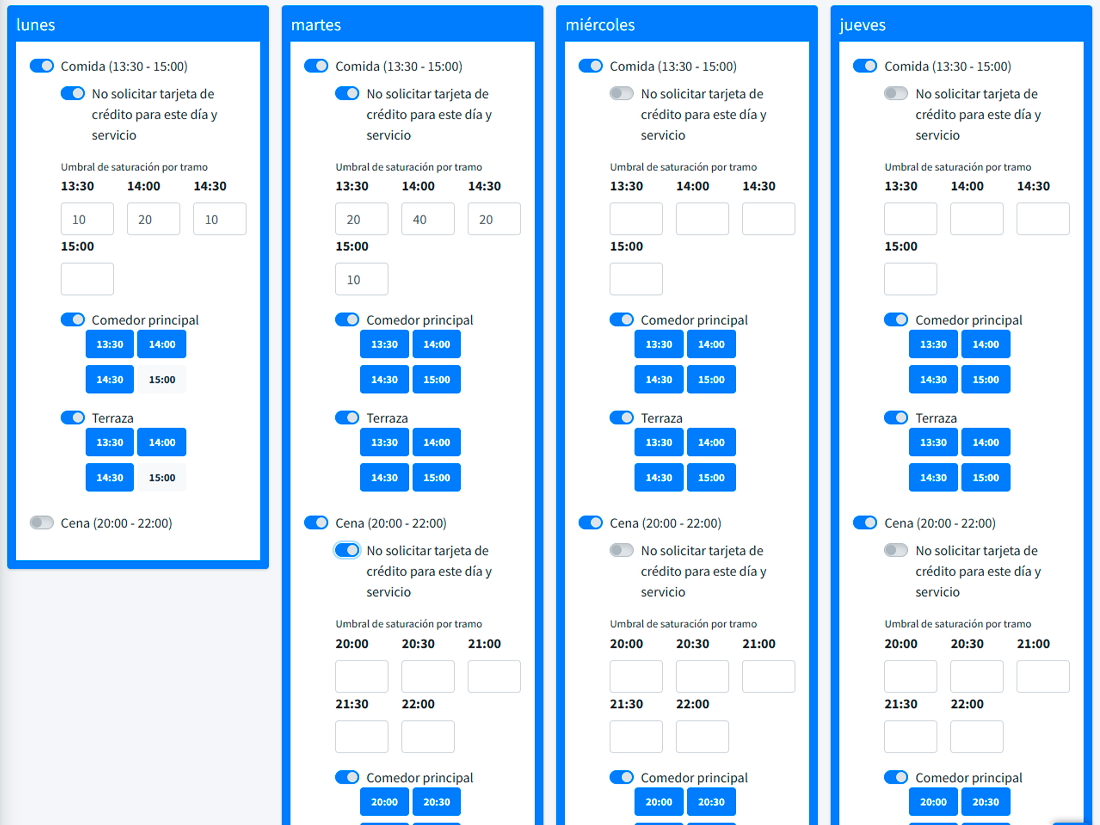
What happens every week — set once.
The weekly calendar is your default: "no dinner on Mondays", "Friday capacity goes up to 80", "Sunday brunch only". It applies every week automatically. Change one rule and it affects every future week.
For the things that aren’t weekly.
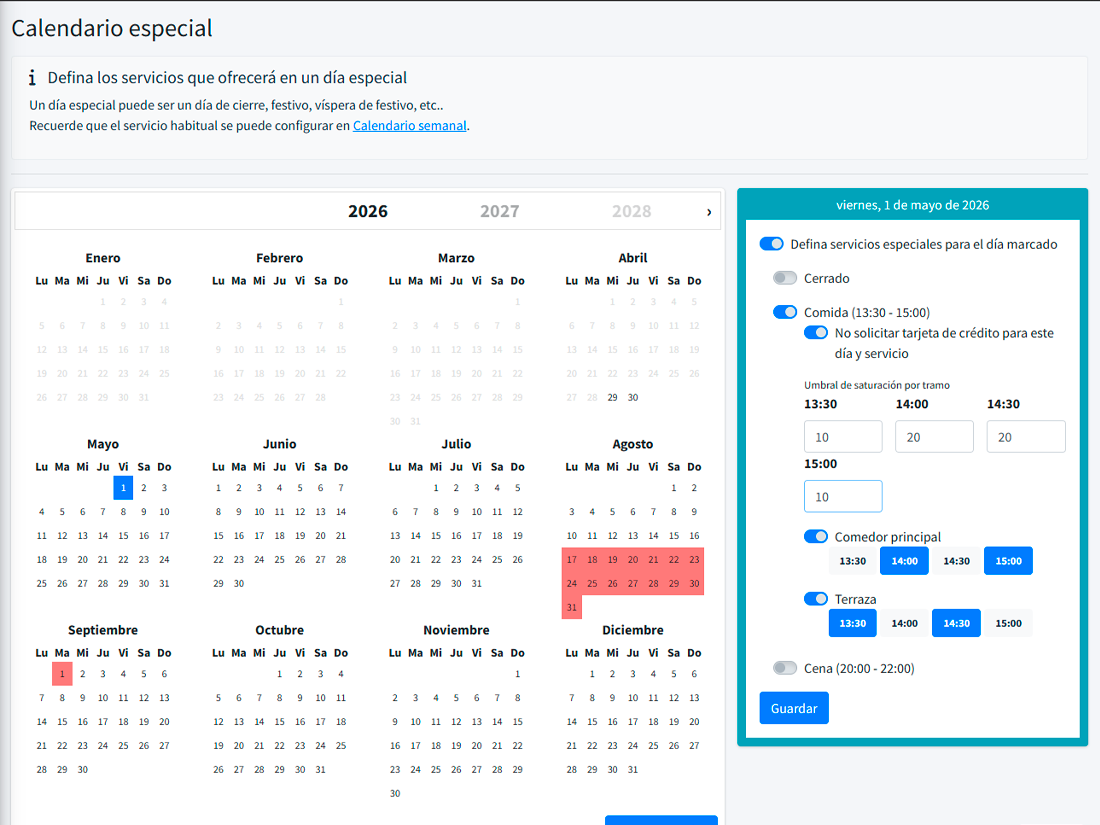
Christmas Eve closed. Feb 14 single set menu at €65. May 1 open. Aug 15 reduced capacity. The yearly calendar overrides the weekly one for specific dates. Set it up in January and forget it for the rest of the year.
- Disabled dates with a custom message for the guest.
- Time exceptions ("21:00 only, single seating").
- Overrides the weekly calendar on a specific date.
What changes once shifts are modelled right
Less kitchen stress
Per-slot thresholds prevent artificial peaks and spread demand.
A more honest widget
Guests only see what they can actually book. Zero overselling cancellations.
Fewer calls asking for changes
If a slot is full, guests try another — no one picks up the phone.
What people usually ask
Can I have overlapping services?
How do I handle local holidays?
Can the saturation threshold vary by day?
What happens to existing reservations if I change the setup?
Your offering changes every day. Your system should too.
Define your real services and let the widget respect them.