
Your guests are yours. Forever.
Every reservation builds a complete profile: visits, frequency, birthdays, allergies and notes. Segment, filter, and — when you want — export to CSV in three clicks.
- Complete per-guest profile with full reservation history
- Tags live on each reservation, reusable as campaign filters
- CSV-exportable any time
- GDPR-compliant, with unsubscribe management
A profile your host actually wants to check.
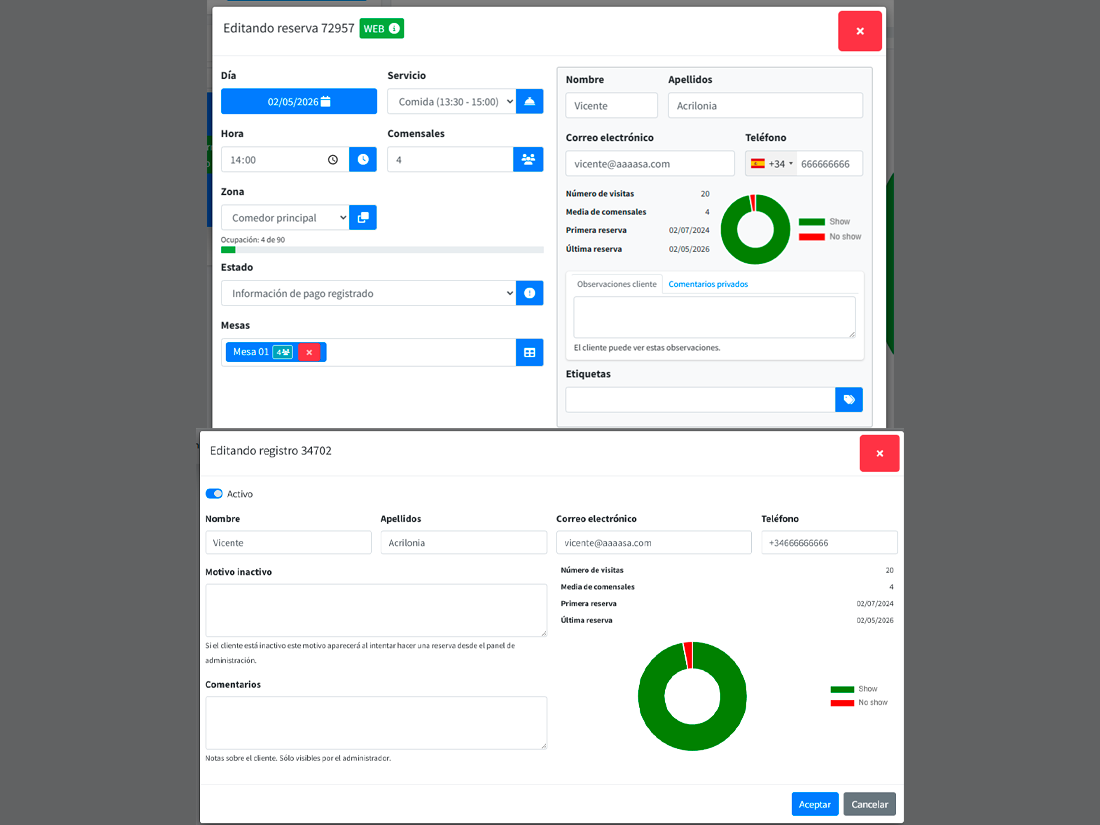
Each guest has a record with name, email, phone, language, internal notes, and a timeline of every booking. Visit count, frequency, cancellation rate and no-show rate. When they walk in, your team knows if it’s the first time or the tenth.
- Full reservation history (date, service, zone, party).
- Real metrics: visits, frequency, cancellations, no-shows.
- Internal notes visible only to your team.
- Duplicate detection by email and phone.
Filter like a spreadsheet. With meaning.
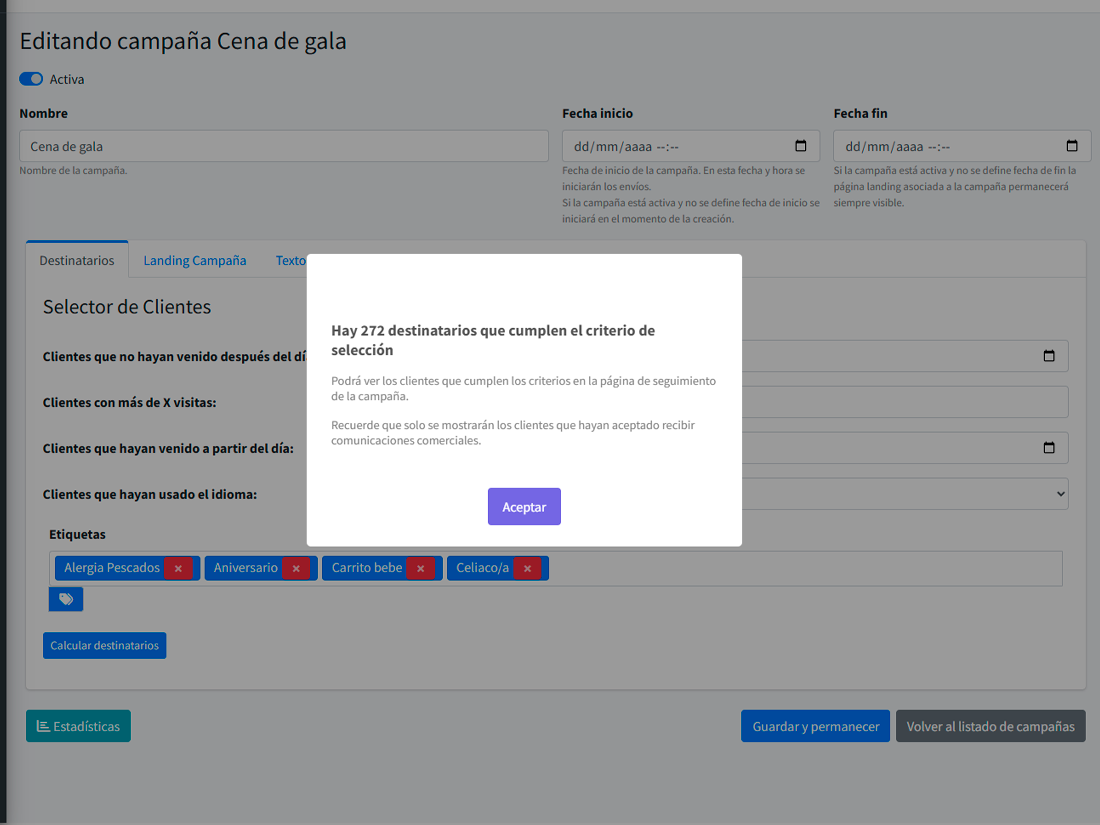
Find every guest who came in the last 12 weeks and has no future booking. Or those whose birthday is this month. Or guests with a "gluten-free" tag on past reservations who haven’t been in 3 months. Filters combine and save as segments.
- Filter by last visit, visit count, language, birthday.
- Filter by tags present on the guest’s reservations.
- Saved segments: reusable as campaign audiences.
- Export per-segment to CSV or push directly to a campaign.
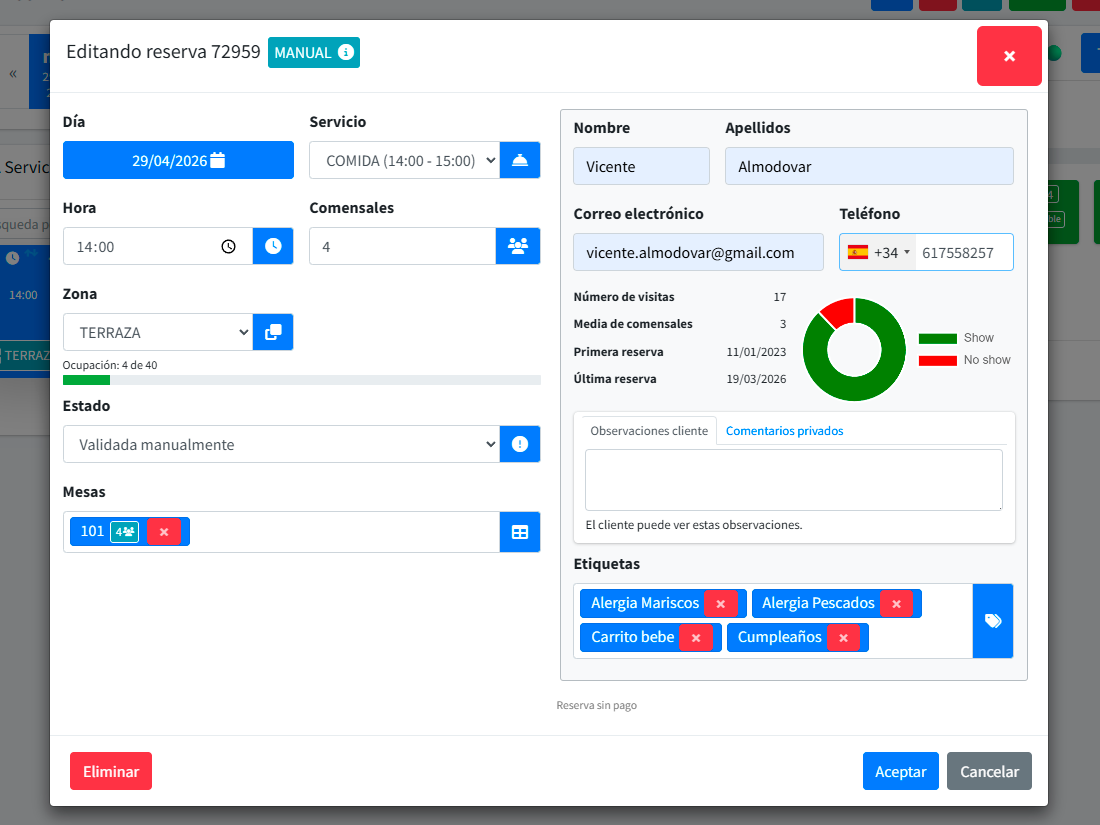
Tags live on the reservation, not on the guest.
In Reserver, tags are placed on each reservation, not on the guest. "Gluten-free", "birthday", "quiet table", "hotel guest" — operators set them as the booking arrives or during service. The guest record itself doesn’t carry stuck-on tags, but campaigns can still filter by tags appearing across a guest’s reservations. The history stays honest: each visit keeps its context.
- Free-form and predefined tags per restaurant.
- Visible on the day’s desktop next to each reservation.
- Reusable as audience criteria in marketing campaigns.
- Not aggregated on the guest record: each reservation keeps its own context.
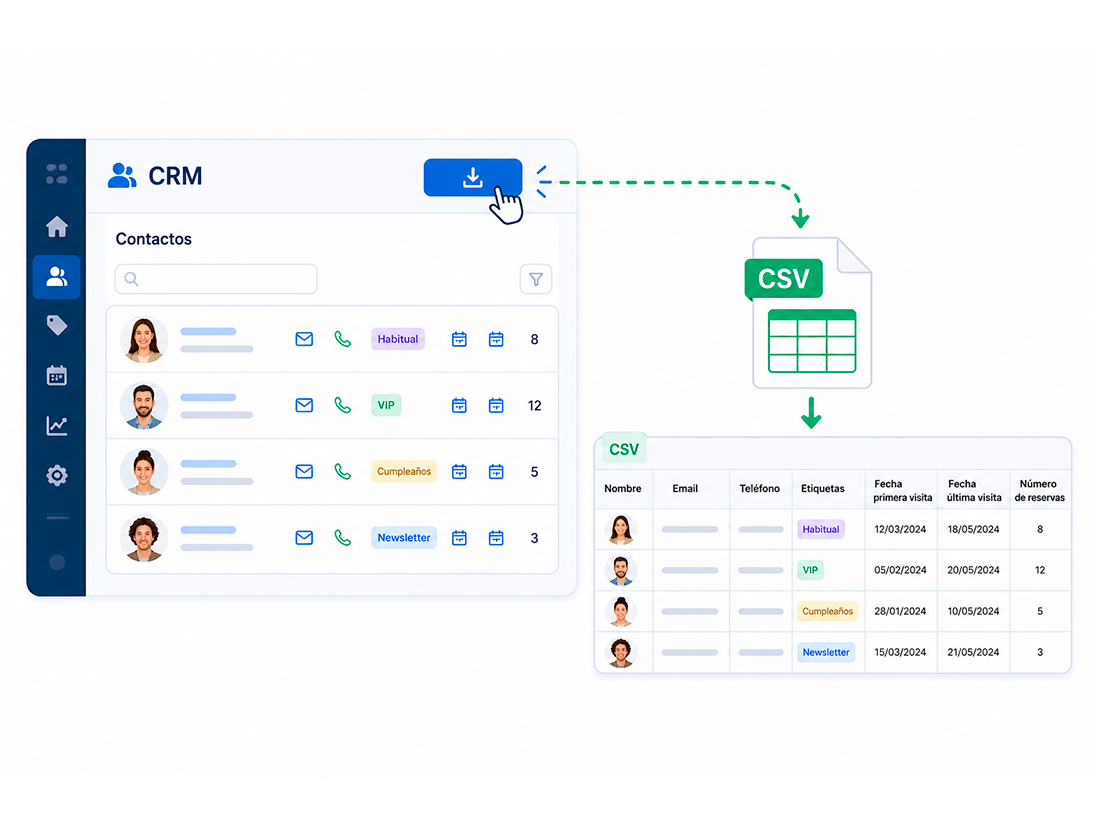
If you leave, you leave with everything.
The CRM exports to CSV in one click: name, email, phone, tags, first visit, last visit, reservation count. No locked fields, no watermarks. Your list is yours.
What happens when CRM lives inside the booking system
Zero manual transfers
No exporting from one place and importing into another. The reservation feeds the record.
Honest per-guest metrics
Visits, frequency, favourite reservation type — computed from what we actually know: the bookings.
Campaigns on real data
When you send an email, the system knows who’s receiving it and why.
What people usually ask
Can I import my existing guest database?
What happens when a guest asks to be deleted?
Do operators see everything?
How do you detect duplicates?
Stop lending your guest list to other people.
Run your CRM in your own system. Export whenever. No commissions in between.