
Your floor, ordered. Your capacity, optimised.
Define zones, tables, and capacities once. Reserver routes each reservation to the right table automatically and suggests combinations when a big party lands.
- Configurable zones with independent capacities
- Virtual tables: predefined combinations
- Auto-assignment prioritising occupancy
- Detection of new frequent combinations
A restaurant isn’t one single room.
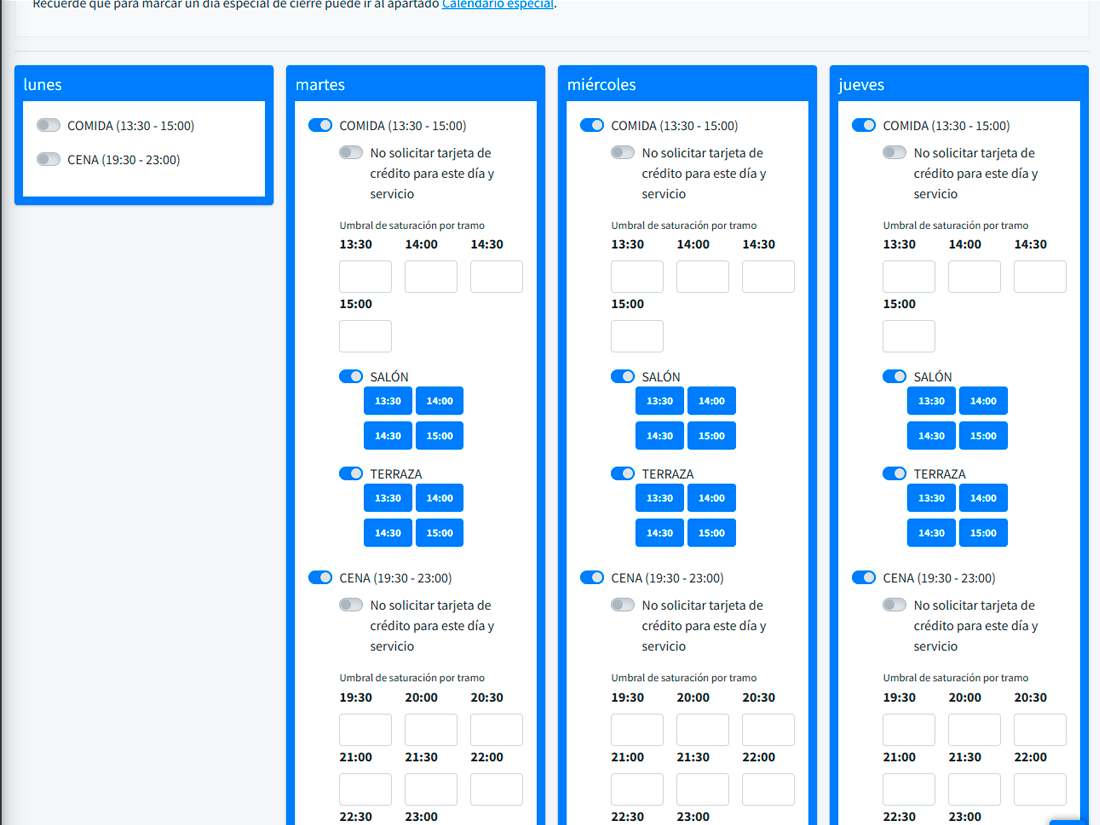
Terrace, indoor, private room, bar. Each zone has its own capacity, opening hours, and per-slot capacity. You can close the terrace on a rainy Sunday with two clicks; reopen it when the sun’s back.
- Open or close zones per service or per day.
- Independent capacity per zone with per-slot saturation thresholds.
- Time-based restrictions: "only dinner reservations in the upstairs after 9:30pm".
- Default zone for auto-assignments.
Each table, with its own profile.
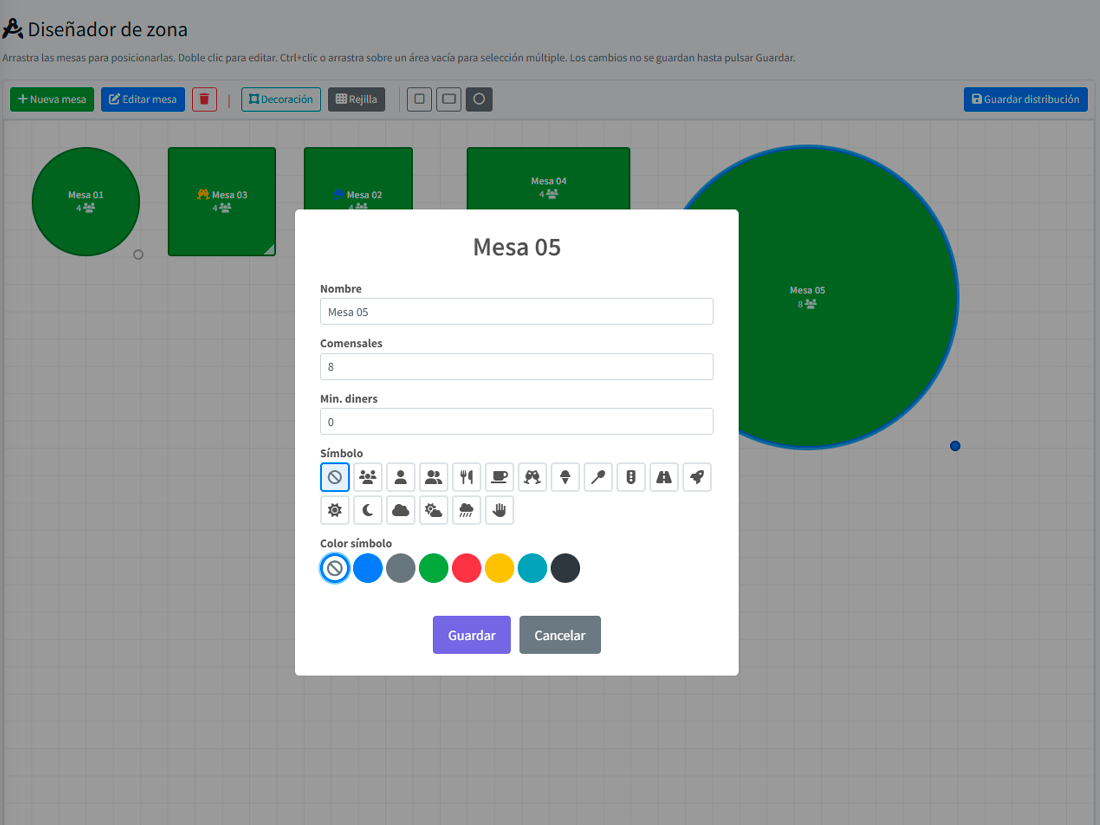
Min and max capacity, visual symbol, colour, position in the zone. Tables aren’t a flat list: they’re objects with rules. You can block table 12 for a day and service because you book it for the supplier; Reserver avoids it without you having to think about it.
- Minimum capacity (prevents assigning a 8-top table to a party of 2).
- Permanent or service-and-date-specific blocking.
- Customisable symbol and colour for the floor plan.
- Configurable order per zone (where auto-assign sits first).
When a party of 8 shows up and no single table fits.
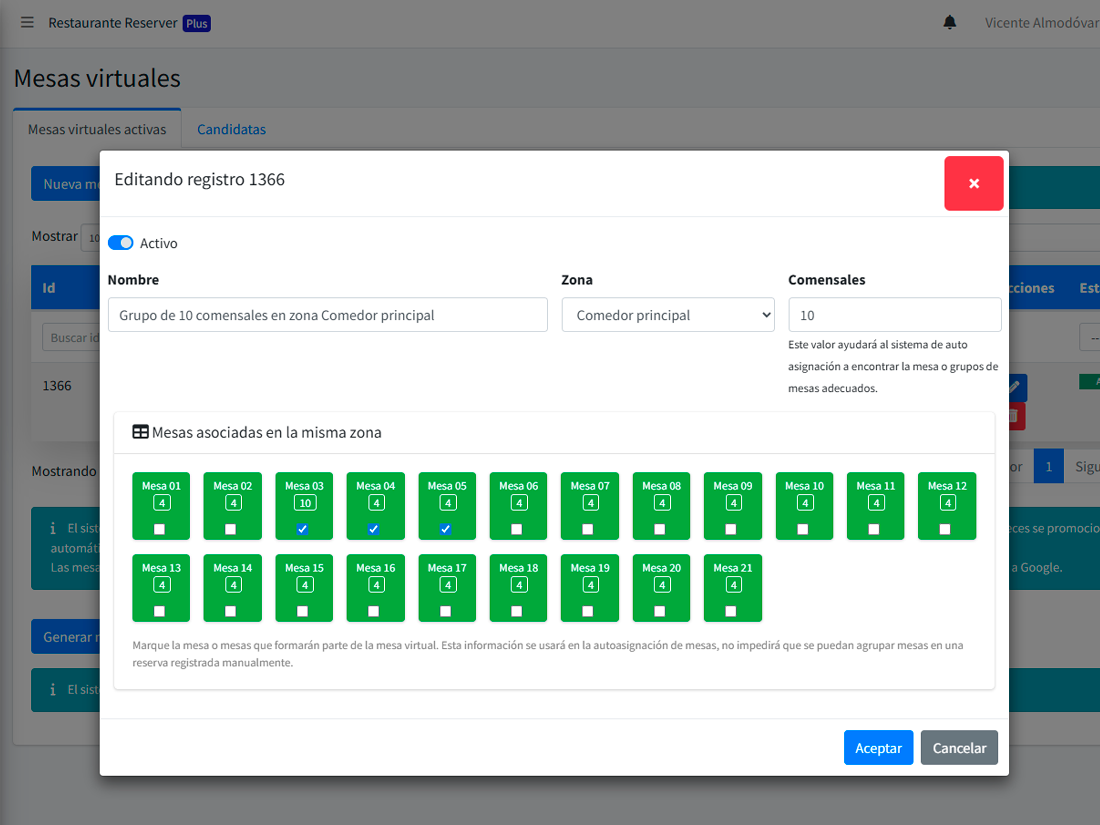
Virtual tables are predefined combinations: "table 3 + 4 together = 8-top". When a party of 8 books, Reserver suggests the combination and auto-blocks the individual tables. Define them once; the system applies them forever.
- Combinations you define, each with its own capacity.
- Individual tables auto-block when the combination is in use.
- Shown as a single "virtual table" in the planning view.
The best table, picked in milliseconds.
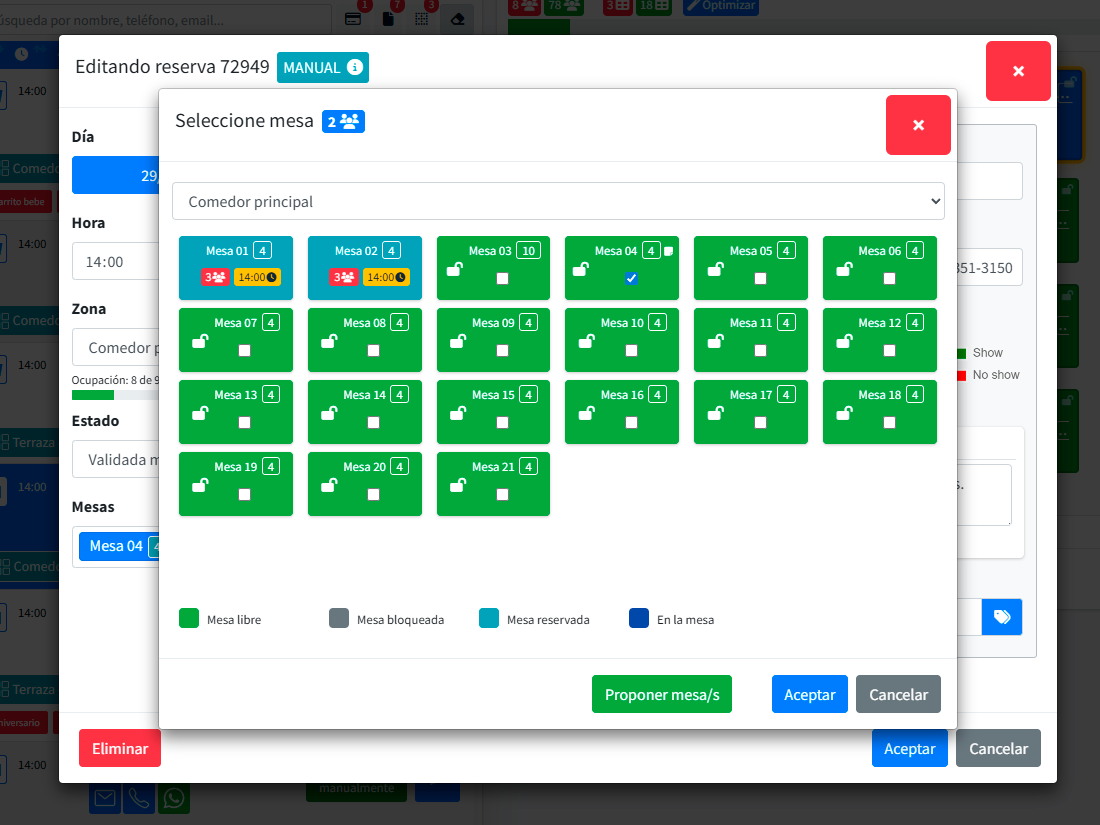
For each reservation, Reserver picks the table that (1) has exact or smallest-sufficient capacity, (2) doesn’t break other bookings in the service, (3) respects your preferred zone order. Operators can reassign manually any time — but rarely need to.
- Prefers small tables first (doesn’t "waste" seating).
- Avoids fragmenting the floor (keeps bookings concentrated).
- Suggests combinations automatically when no single table fits.
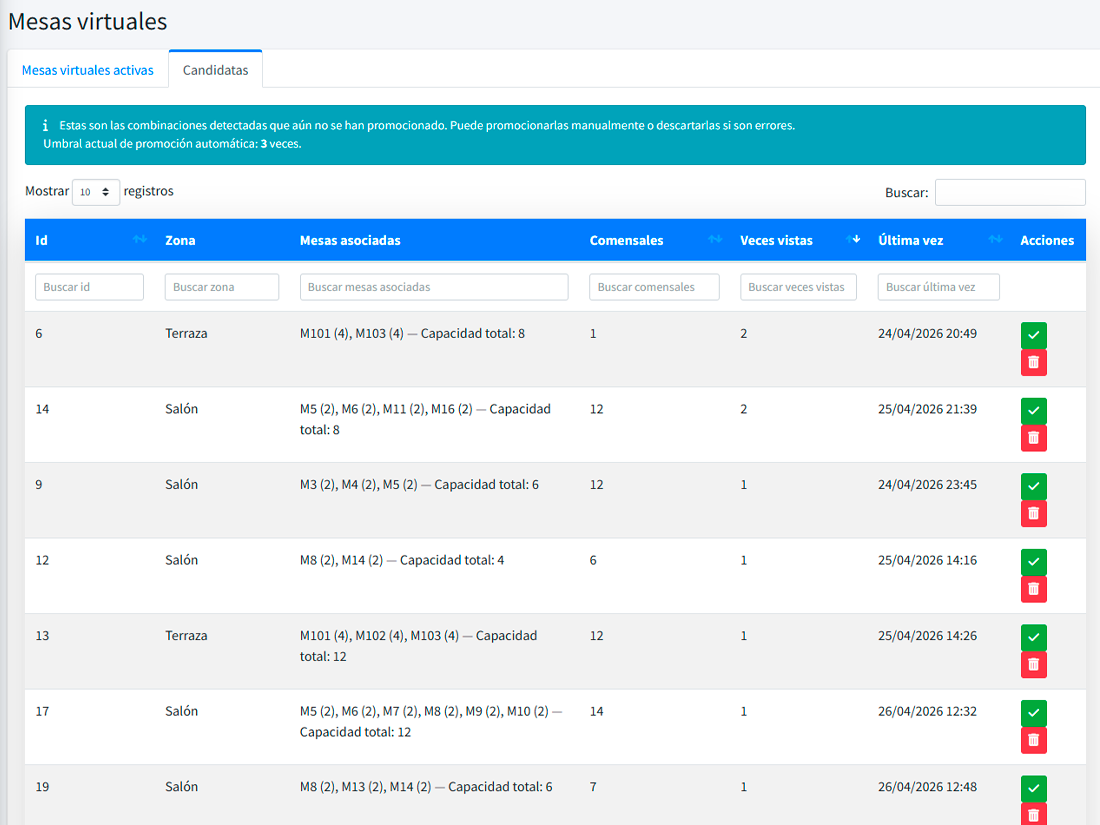
Reserver notices new combinations you use all the time.
If your team keeps pushing the same two tables together ad-hoc, Reserver spots the pattern and suggests making it an official combination. What was a maître d’ trick becomes a system rule — and the optimiser benefits.
Reserver’s floor and your till’s floor, finally the same.
If you use Comanver, our POS, today’s bookings appear on its floor plan and in the waiter app, and real occupancy flows back to Reserver. A table occupied at the till is flagged on today’s plan and auto-assignment stops offering it.
- The table shows as “reserved” on the POS before the guest arrives.
- Opening the ticket moves the booking to “At the table”; paying it, to “Finished” with the spend.
- Import your Reserver floor plan into Comanver, zones and tables already paired.
- The till never waits for Reserver: everything is queued and syncs on its own.
- 1 A booking comes into Reserver
- 2 The table shows as reserved on the POS
- 3 Ticket opened → “At the table”
- 4 Ticket paid → “Finished” with the spend
What you notice once the floor is modelled
More covers in the same room
The right tables fill first. Real seated capacity goes up without adding a single chair.
Fewer split-second decisions
The host doesn’t have to wonder "where do I put these 4?". Reserver proposes; they approve.
Fewer overbooking mistakes
The system never assigns two reservations to the same table. Full stop.
What people usually ask
Can I have tables with variable capacity?
How do I handle a table that’s sometimes there, sometimes not (e.g. winter terrace)?
What if a guest asks for a specific table?
How many zones and tables can I have?
Does it connect to my POS?
Your floor deserves a model, not a spreadsheet.
Define zones, tables, and combinations once. Let the system do the rest.