
Every reservation, traceable end to end.
From the moment it arrives until the guest walks out. Reserver records the state, who touched it, what changed, and why — without your team writing anything down.
- 14 distinct states for the real reservation lifecycle
- Tags for VIPs, allergies, special occasions
- Auditable per-operator history
- Live changes, no refresh needed
An honest vocabulary for what actually happens on the floor.
"Confirmed" shouldn’t be a final state. Reserver distinguishes between pending, email-confirmed, phone-confirmed, seated, completed, cancelled by guest, cancelled by restaurant, no-show, potential no-show, waitlist, payment pending, payment confirmed and pre-auth failed. Every transition is recorded.
- Automatic "potential no-show" detection with a heads-up for the team.
- Separate cancellation reasons: guest vs restaurant (with note).
- Payment state independent from the reservation state.
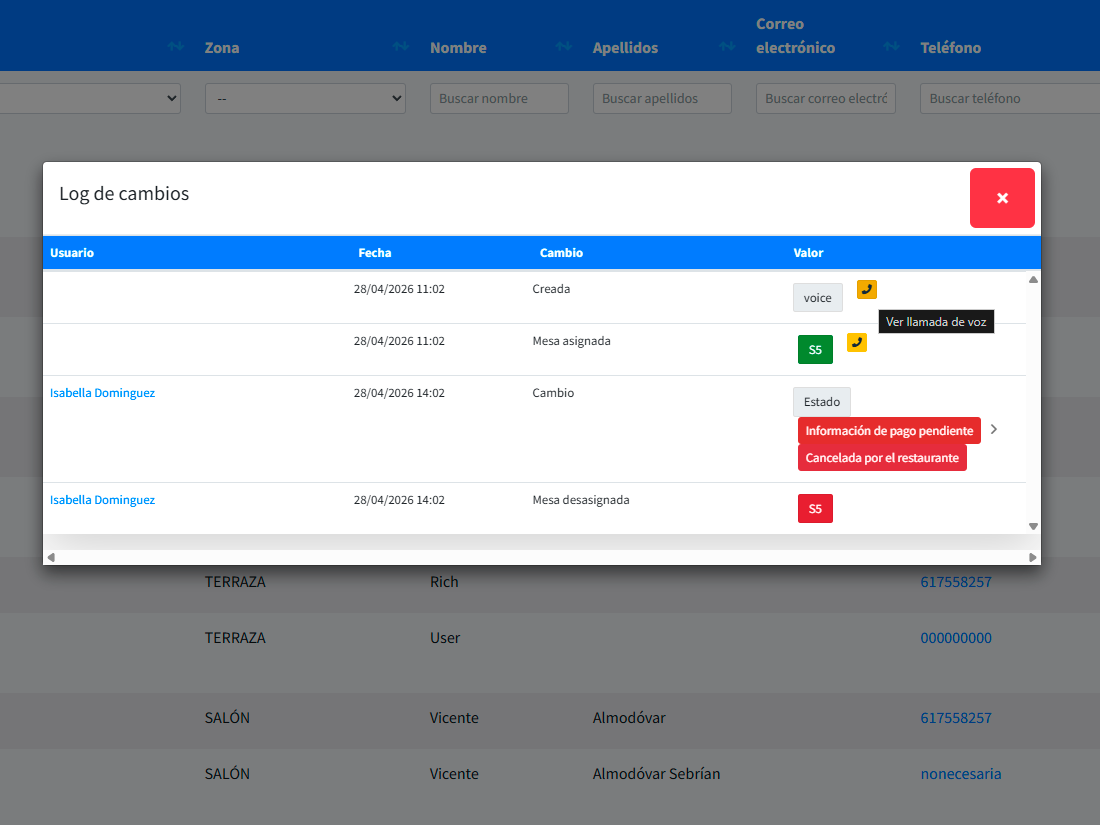
- Every change, with timestamp and operator, in a dedicated tab.
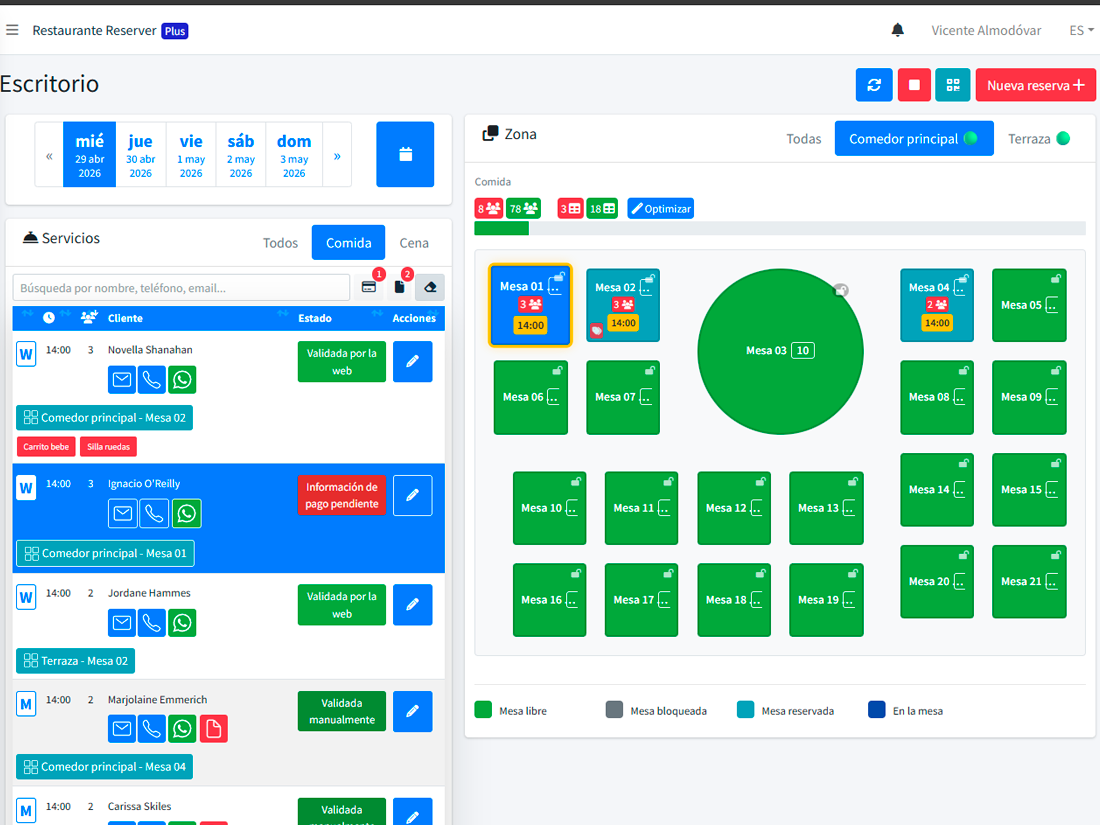
VIP, gluten-free, birthday, wheelchair, highchair — and yours.
Tags are for marking any relevant characteristic of the reservation, the guest, or the occasion. Reserver comes with a predefined set, but what matters is that you can create your own, with whatever name you want, so your team uses them consistently.
- Industry presets (allergies, mobility, occasions).
- Custom tags: neighbourhood regulars, club members, chef’s table.
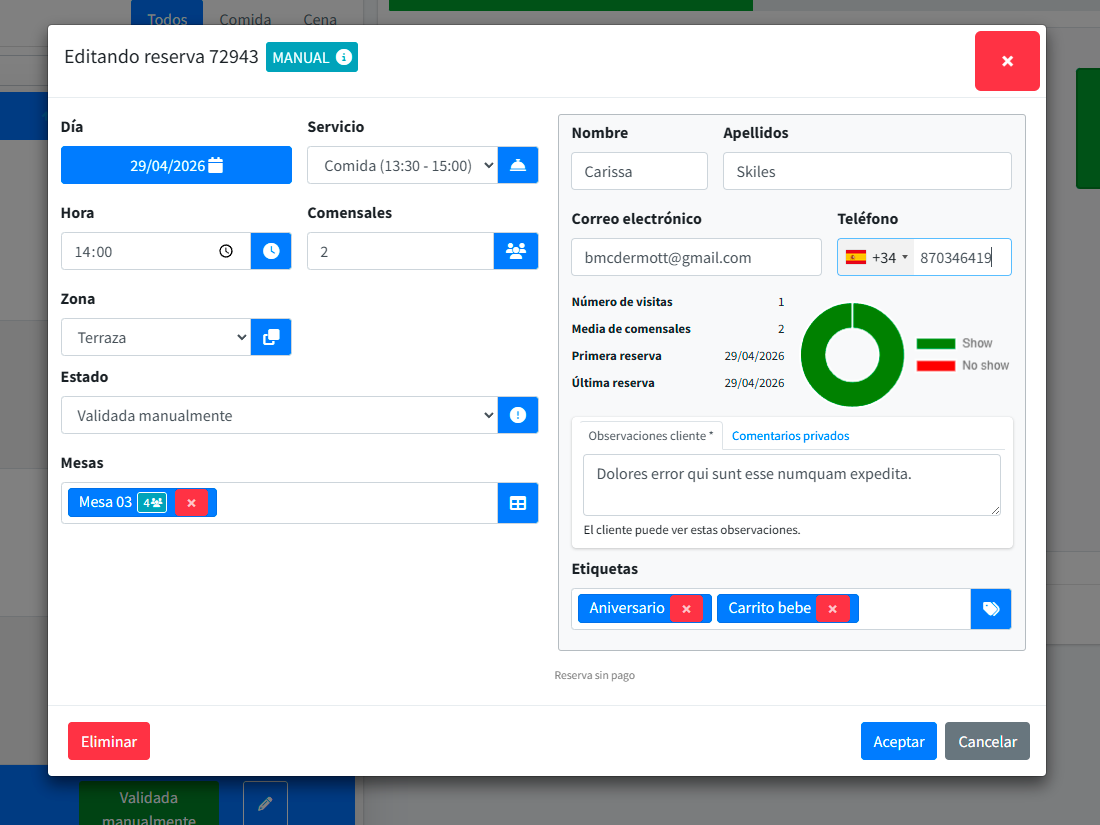
Editing a reservation shouldn’t be an adventure.
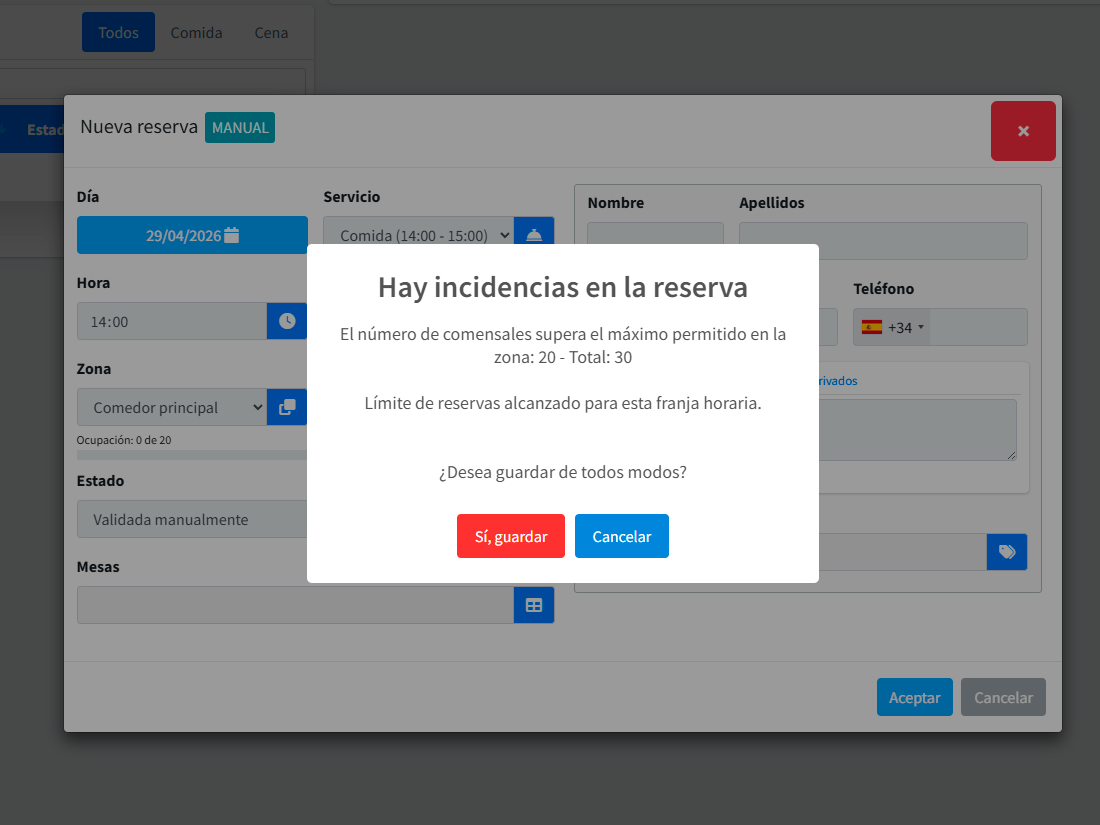
Move the time, add covers, change zones, log a payment, note a last-minute allergy — all in the same record, with live availability validation. If the change breaks another booking, Reserver warns you before saving.
- Automatic validation: if the new setup doesn’t fit, it doesn’t save.
- Alternative-table suggestions when conflicts arise.
- Automatic guest notification for approved changes.
- Configurable minimum-hours-ahead cancellation policy.
One reservation feeds floor, payments, CRM, and marketing instantly.
When a booking is confirmed, the table locks in the planning, the guest CRM updates, the reminder gets scheduled, and — if you set up tag-based campaigns — the post-visit message is queued. No copy-paste, no third-party integrations.
What changes when every reservation is recorded
Zero losses from human error
If an operator changes something, there’s a trail. If a guest says "but I asked for X", you have it.
Less time on the phone
Most edits are made by guests themselves via the confirmation link.
Real month-end reports
Cancellation ratio, average lead time, peak hour — all ready to export.
What people usually ask
Can I edit a past reservation?
What if an operator deletes something by mistake?
Can I customise the state flow?
What happens if two operators edit the same reservation at once?
Modules that work with reservations
Start taking reservations seriously.
Set up your first service and start booking this week.