
The chatbot that actually knows how to book a table.
Not a menu tree. A conversational AI hooked into your real system: checks availability, creates the booking, proposes alternatives, and sends the payment link. In the guest’s language, at 4 am, without complaining.
- Natural conversation, not a button menu
- Function calling: genuinely creates, edits and cancels bookings
- Automatic multi-language (detects the guest’s language)
- State-of-the-art AI, included out of the box
Doesn’t sound like a chatbot. Acts like a host.
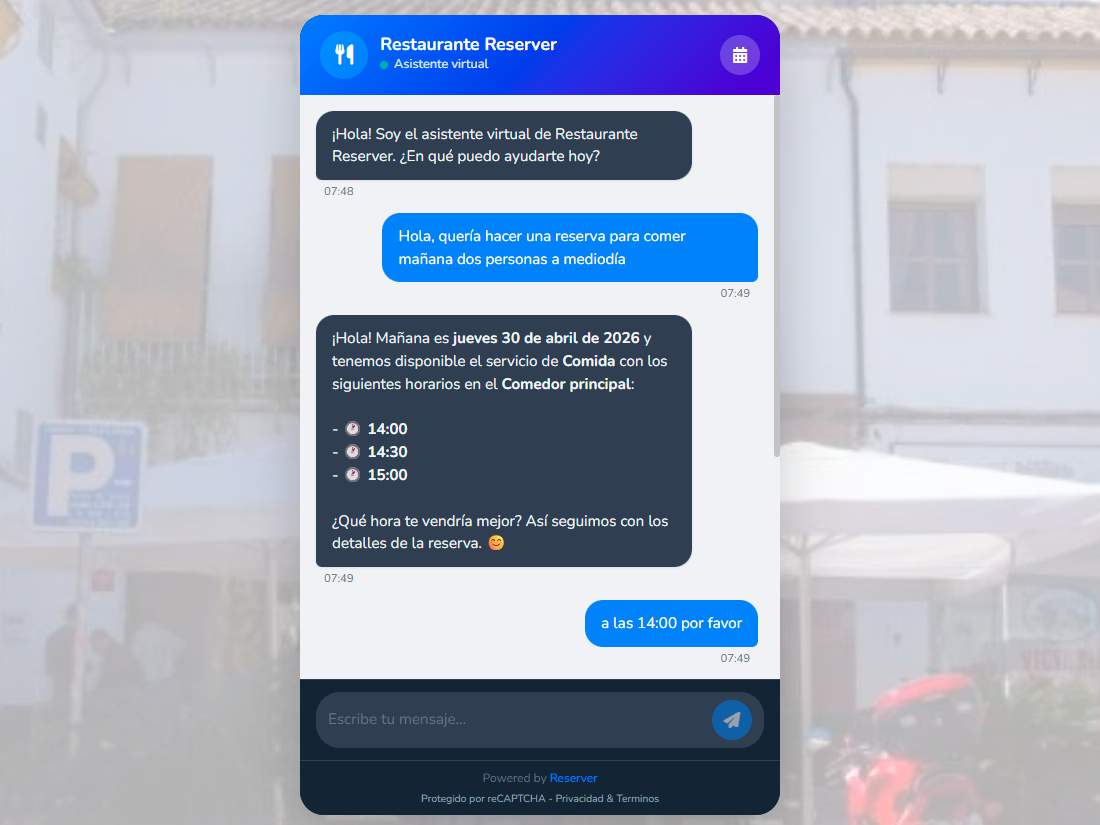
The chatbot has direct access to your booking system via function calling. It asks "how many?", looks up real slots for that night, creates the reservation with the guest’s details, attaches a payment link, and sends the confirmation. It’s not text that imitates action — it’s action.
- Check availability by date, time, party size.
- Create a reservation with the guest’s details.
- Edit: time, date, party, zone, notes.
- Cancel within your minimum-notice policy.
- Send payment links when policy requires it.
- Look up the status of an existing reservation.
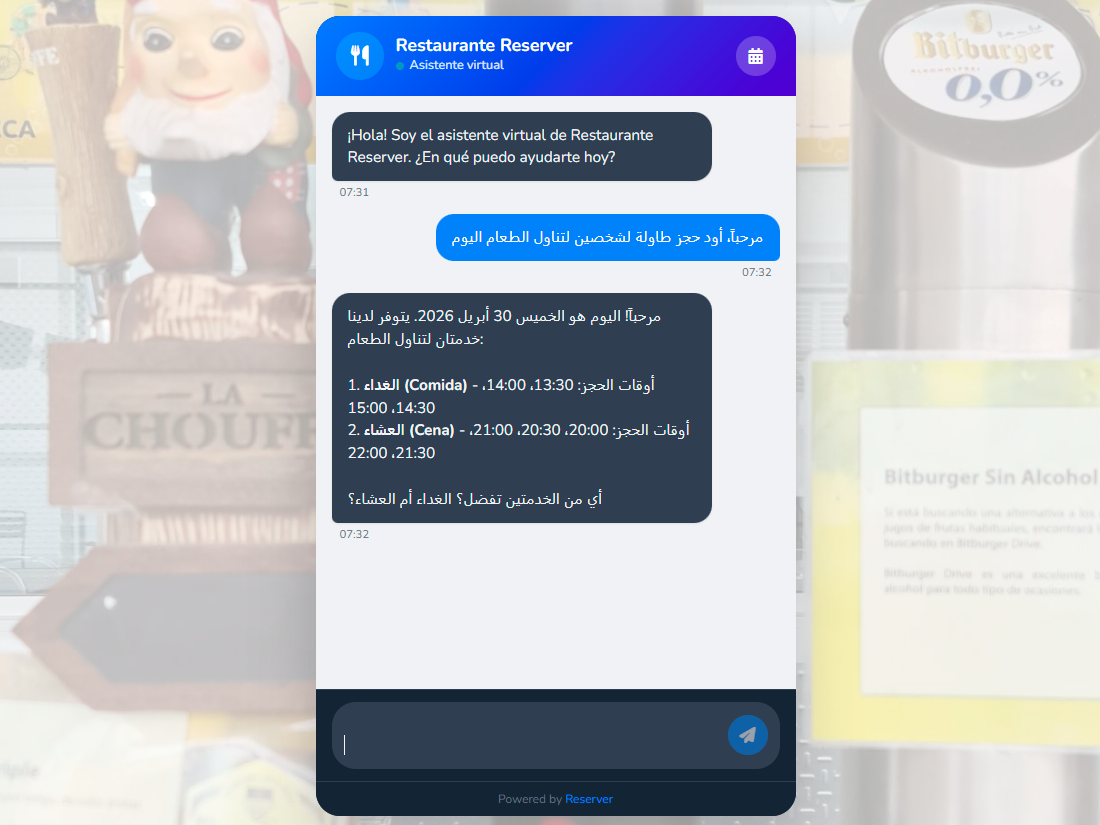
Talks to the guest in their language, not yours.
The guest writes in French — the bot answers in French. Brazilian Portuguese? The bot adapts the tone. We detect the language from the first message and keep it through the conversation. No clunky translator: the model just knows.
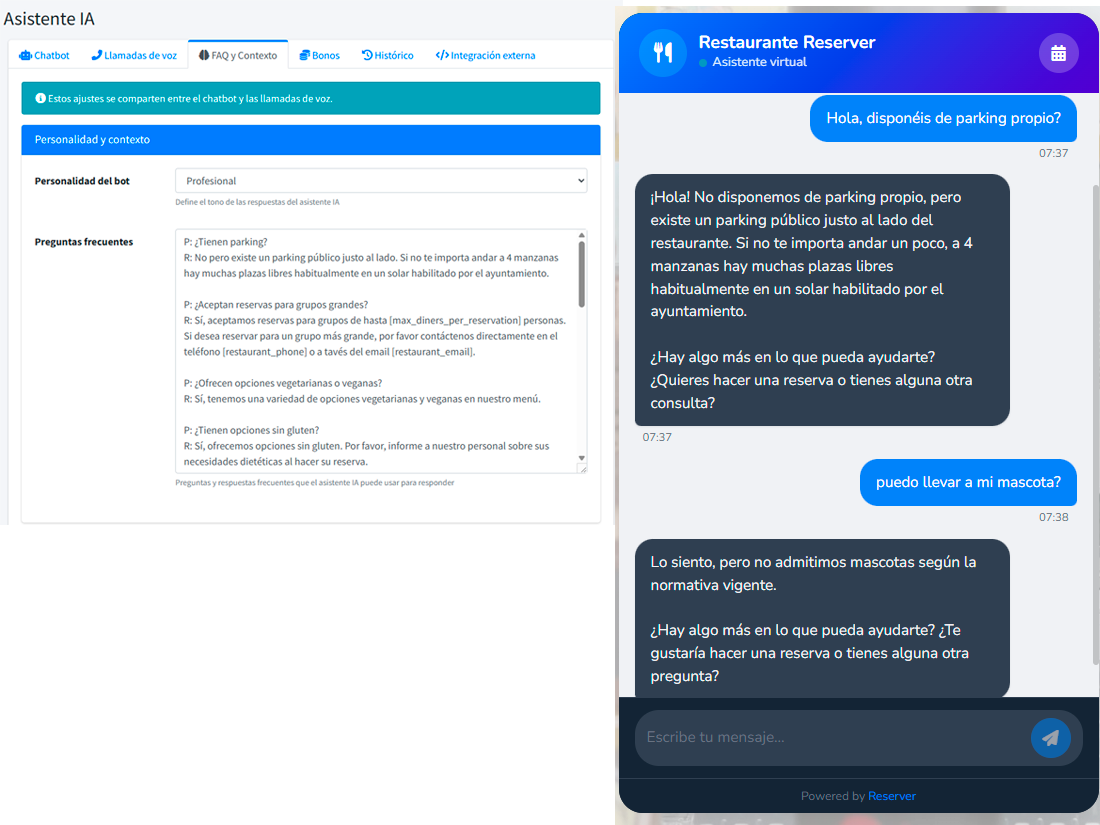
Learns your allergen policy. Your dress code. Your pet policy.
You define a set of frequent questions with their official answers. The bot weaves them into the conversation when relevant. "Can I bring my dog?" → consistent answer, no matter who’s asking.
- Editable FAQs from the dashboard.
- Consistent answers — independent of which operator is on.
- The bot combines system data + FAQs for complete replies.
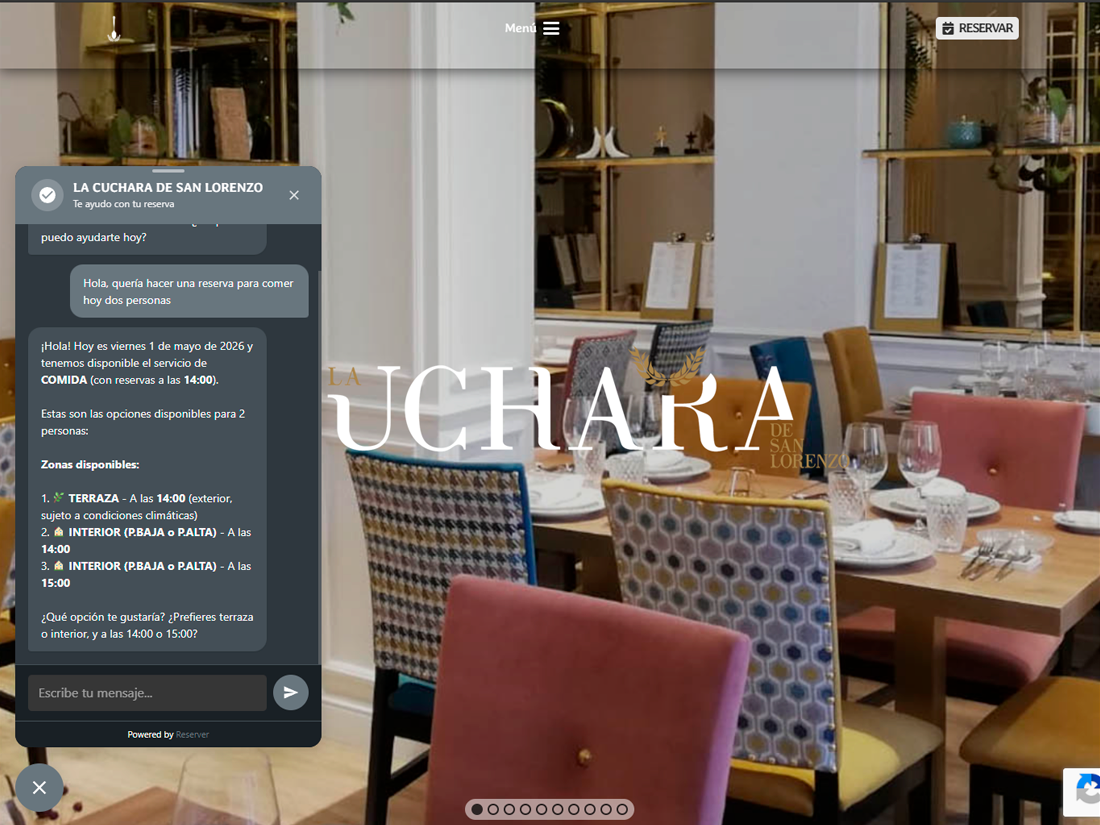
Take it to your own site. Live where your guests already are.
The assistant is exposed through a documented REST API, so it can live wherever you want: your Webflow landing, your mobile app, your internal portal. And if your site runs on WordPress, we ship an official plugin — install it, paste your API key, and you have a booking manager on your own page, with an agent that answers your FAQs in natural language. Zero code.
- REST API with key-based auth, ready to embed in any site or app.
- Official WordPress plugin: install, connect, done.
- The widget adapts to your site’s branding — not a tacked-on piece.
- Same engine as the native chatbot: function calling, multi-language and your FAQs.
Pay only for what it uses. No hidden conversation fees.
The chatbot consumes a credit bundle. Run out? Top up in one click. Costs are transparent: you see the cost per conversation in the dashboard.
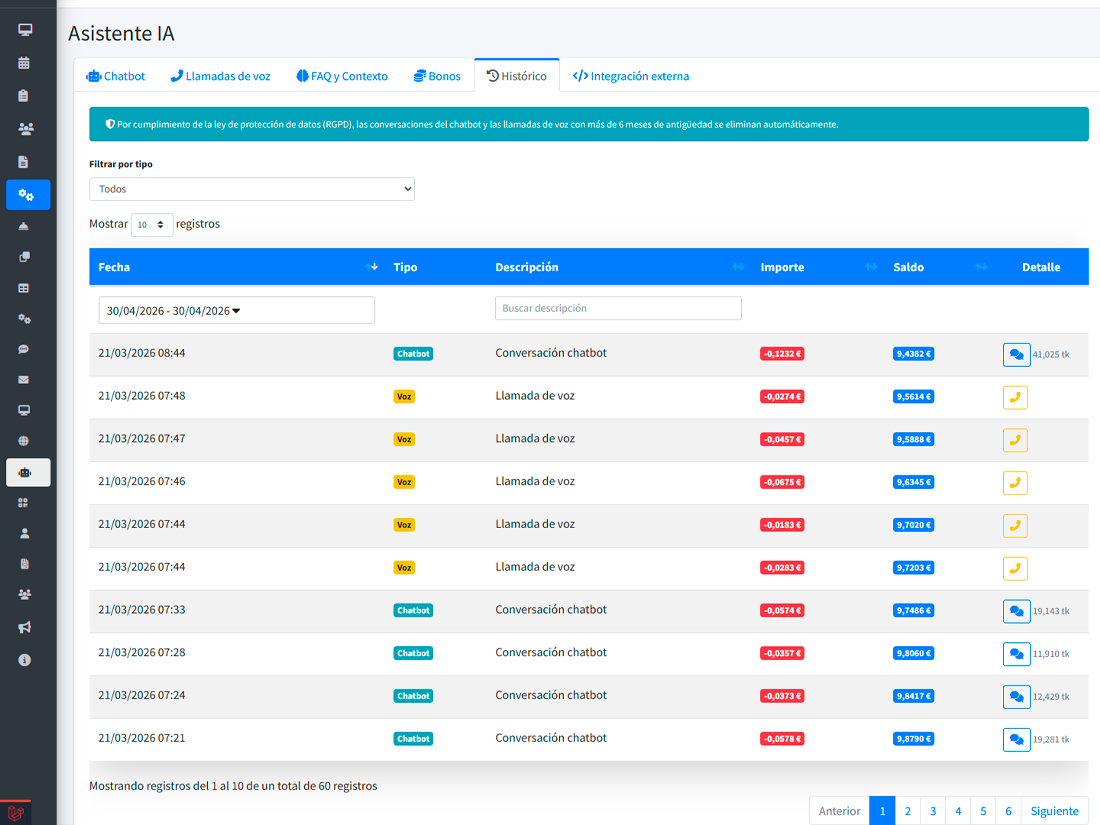
Every conversation is stored. Auditable, in detail.
Full conversation history in the dashboard: what the guest asked, what the bot replied, what action it took, and when. Conversations are read-only — a faithful record for reviewing incidents, understanding why the bot answered the way it did, and tightening your FAQs.
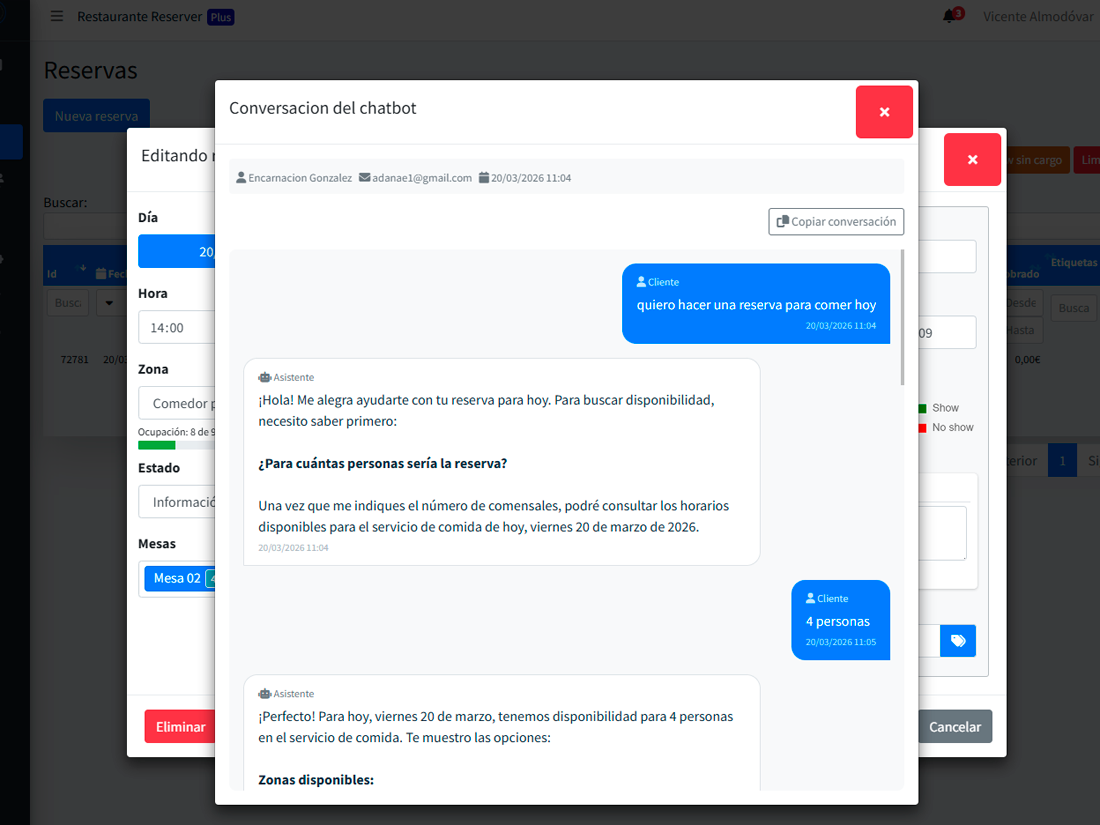
What an AI chatbot really does for a restaurant
Covers dead hours
Bookings at 3 am, Sundays, in August. Zero extra cost.
Removes the language barrier
French, English, German, Portuguese, Italian. All at once.
Cuts repetitive calls
Availability checks and simple changes stop going through the phone.
What people usually ask
Can I train it on my own content?
What if the guest asks something the bot doesn’t know?
Can it book without asking for a card?
How much does each conversation cost?
Is guest data protected?
Try the chatbot on your site.
Enable it, paste it on your site, and watch the first reservation come in on its own.