
Your floor, modelled. Your capacity, optimised.
Define zones, physical tables, and combinations once. Auto-assign sends each booking to the optimal table. Real-time planning shows you the whole service on one screen.
From table 1 to the chef’s table
Independent zones
Terrace, indoor, private, bar. Each with its own capacity, hours, and restrictions.
Physical tables
Min and max capacity, symbol, colour. Individual or recurring blocks.
Virtual tables
Predefined combinations (e.g. 3+4 = 8). Auto-block when in use.
Auto-assignment
The optimal table, picked in milliseconds. Proposes alternatives when it doesn’t fit.
Don’t burn an 8-top on a party of 2.
Reserver assigns the smallest-sufficient table that doesn’t break other bookings in the service. Big tables are saved for big parties; small ones fill first. Your real capacity goes up without touching a single chair.
- Prefers min-sufficient capacity, not the first free table.
- Avoids fragmenting the floor (concentrates bookings per zone).
- Proposes virtual combinations if no single table fits.
- Operators can reassign manually any time.
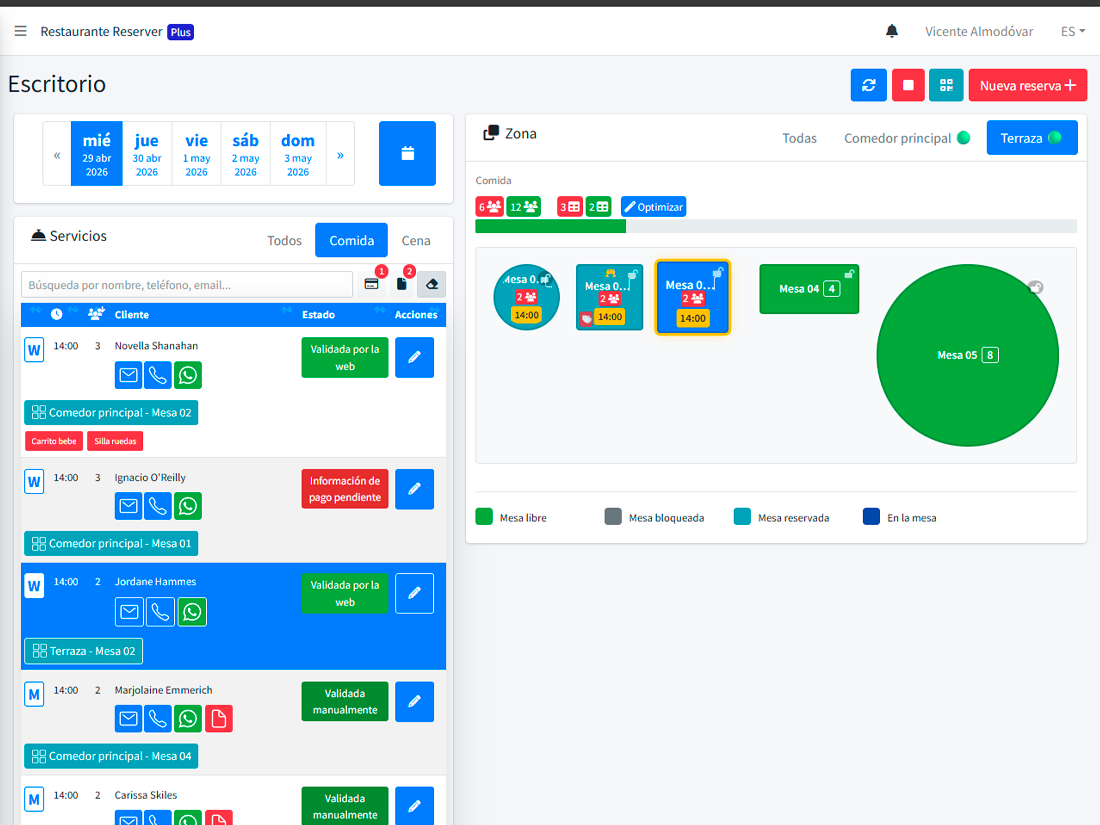
If your team pushes two tables together, the system learns.
Reserver detects when the same set of individual tables is used together repeatedly. It proposes turning it into an official virtual combination, and from then on auto-assign considers it by default.
See full module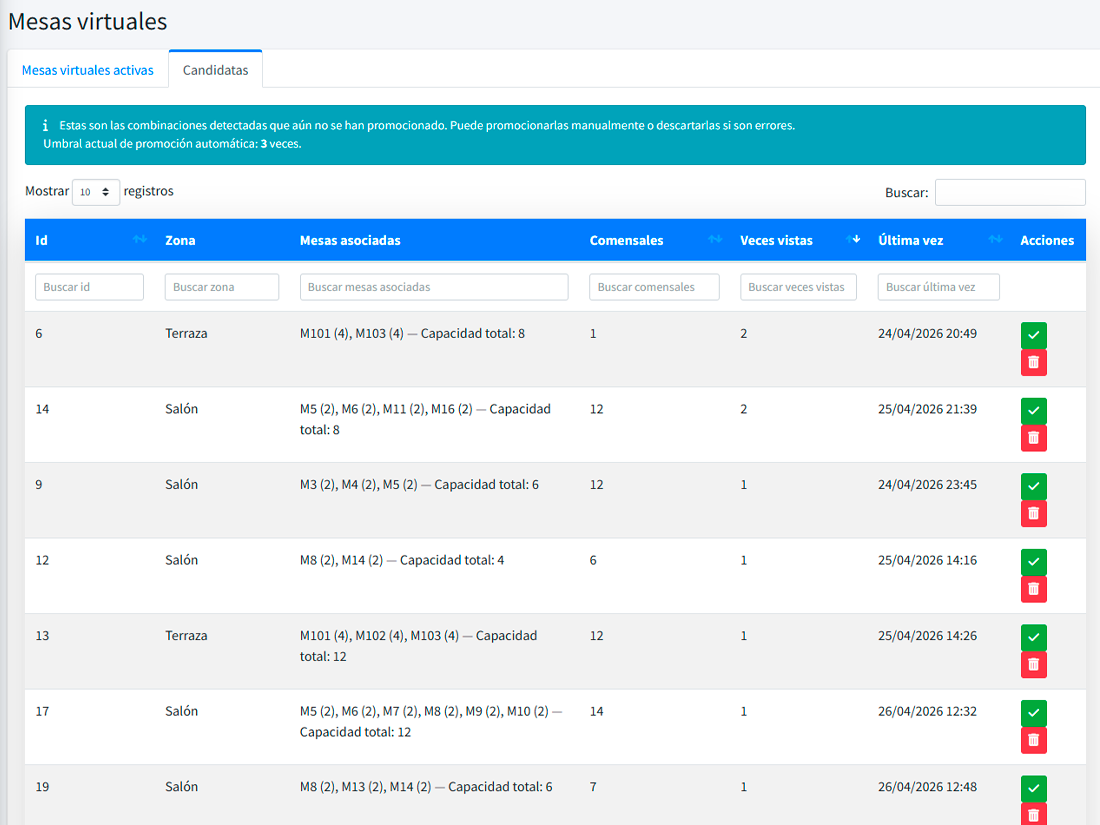
What people ask when configuring the floor.
What is table management in a restaurant?
How is table management different from planning?
What are virtual tables or combinations?
How does auto-assignment work?
Can tables have variable capacity?
How do I manage tables that change (e.g. seasonal terrace)?
Reservation systems with floor and capacity logic
How the floor-plan and auto-assignment engine fits across different restaurant formats.
Model zones, tables, and combinations. Take bookings after.
Initial setup takes less than half an hour. The rest, the system learns watching your service.